Recap:
I’m ditching Goodreads for reasons, so I tried a dozen other reading trackers, and ultimately, I found five fantastic alternatives to Goodreads.
Today, we’re talking about The StoryGraph!
The StoryGraph
You might be soulmates if:
💜 Data makes your heart happy.
💜 You want an app like Goodreads, but WAY better.
💜 You appreciate a minimalist aesthetic.
💜 You want to explore what motivates you to read.
Green Flags
The StoryGraph just might have it all. I tried it a few years ago and wasn’t feeling it, but they’ve grown and updated a lot since then. I’m impressed by how much thought and care has been put into this reading tracker. Storygraph provides half and quarter star ratings, content warnings, a DNF shelf, giveaways, and a private reading journal. One of my personal favorite features of this app is the Up Next queue, where you can add up to five books you’d like to read soon.
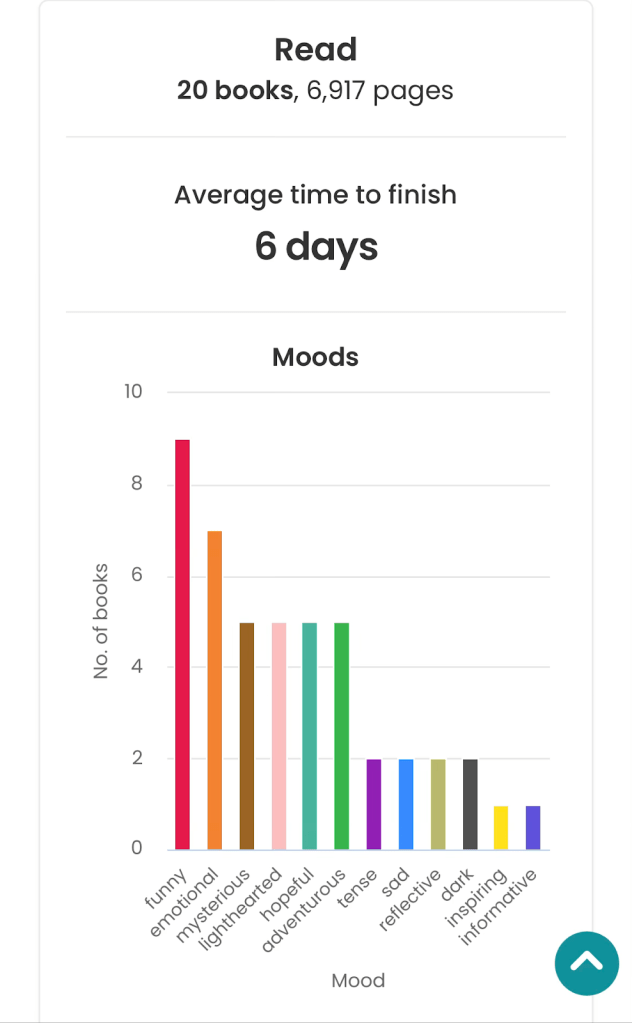
What really sets StoryGraph apart is its extensive data on your reading habits and preferences. It tracks and visualizes a wild amount of your reading data with easily adjustable parameters. For example, when you review a book, you can tag it with moods and pacing information, so your reading data includes information about the typical pace and moods of the books you read.
This first screenshot shows just a tiny slice of my 2026 reading data to date. (Clearly I’m coping in these dark times with funny books.)
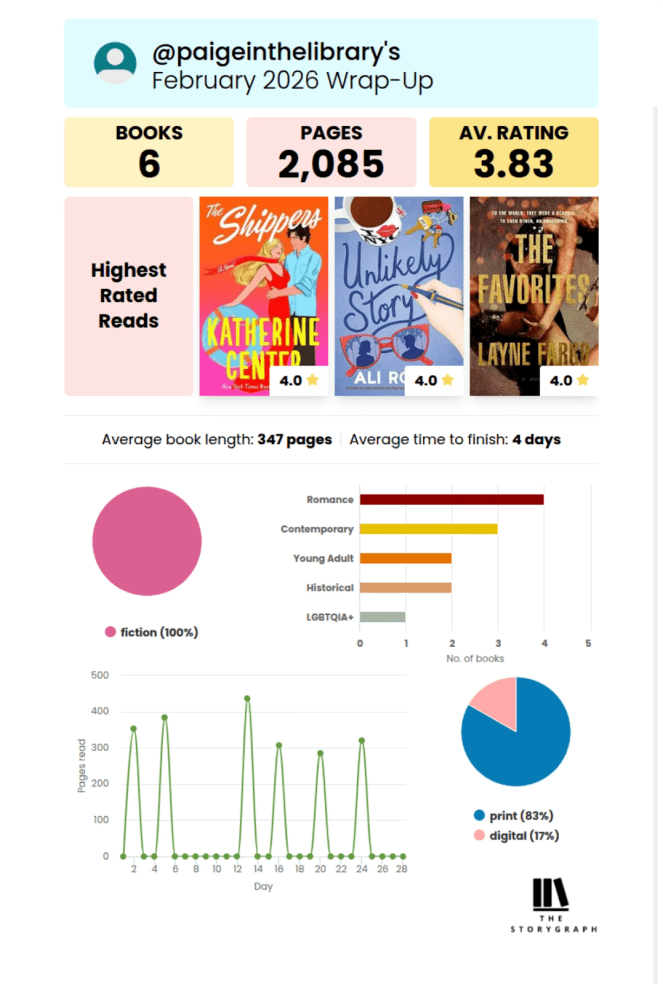
Storygraph also generates monthly reading wrap-ups in a format that works perfectly for Instagram stories (you’re welcome, Bookstagrammers).
The app has a clean and minimalist aesthetic overall, with bright colors that pop in the data charts. (Quick aside: I didn’t realize dark mode existed until way later, and you’re going to hear about this a few more times, so trust me: It’s the move.) The StoryGraph app is very intuitive to navigate and you can also access everything on a web browser.
The app opens to an overview of your current reads and TBR list. The displayed TBR books refresh every time you open the app, reminding you about titles you added to your list ages ago, which is wildly helpful to those of us with bookish object permanence issues. I also like that when you open the app, you aren’t immediately assaulted with a social feed. Incredibly considerate, honestly.
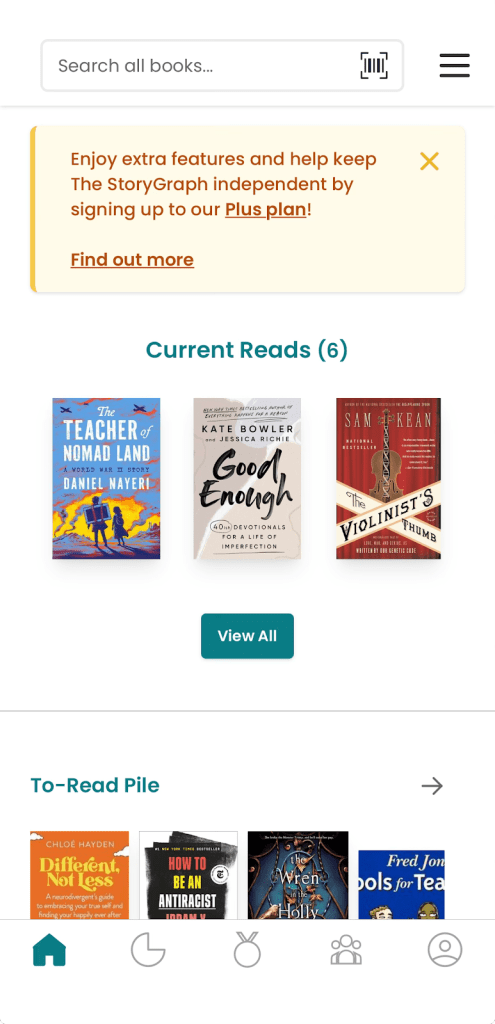
That said, StoryGraph does offer a robust social experience too, with options including buddy reads, readalongs, and book clubs in addition to a classic news feed. When you read books with friends, their live reading reactions don’t unlock until you reach that part of the book to avoid spoilers.
I would like to personally thank the app developers for allowing us to opt out of the reading streaks feature. YOU GET IT. Thank you! So that said, if you like reading streaks, you’ve got it! If you don’t, you don’t have to deal with it!
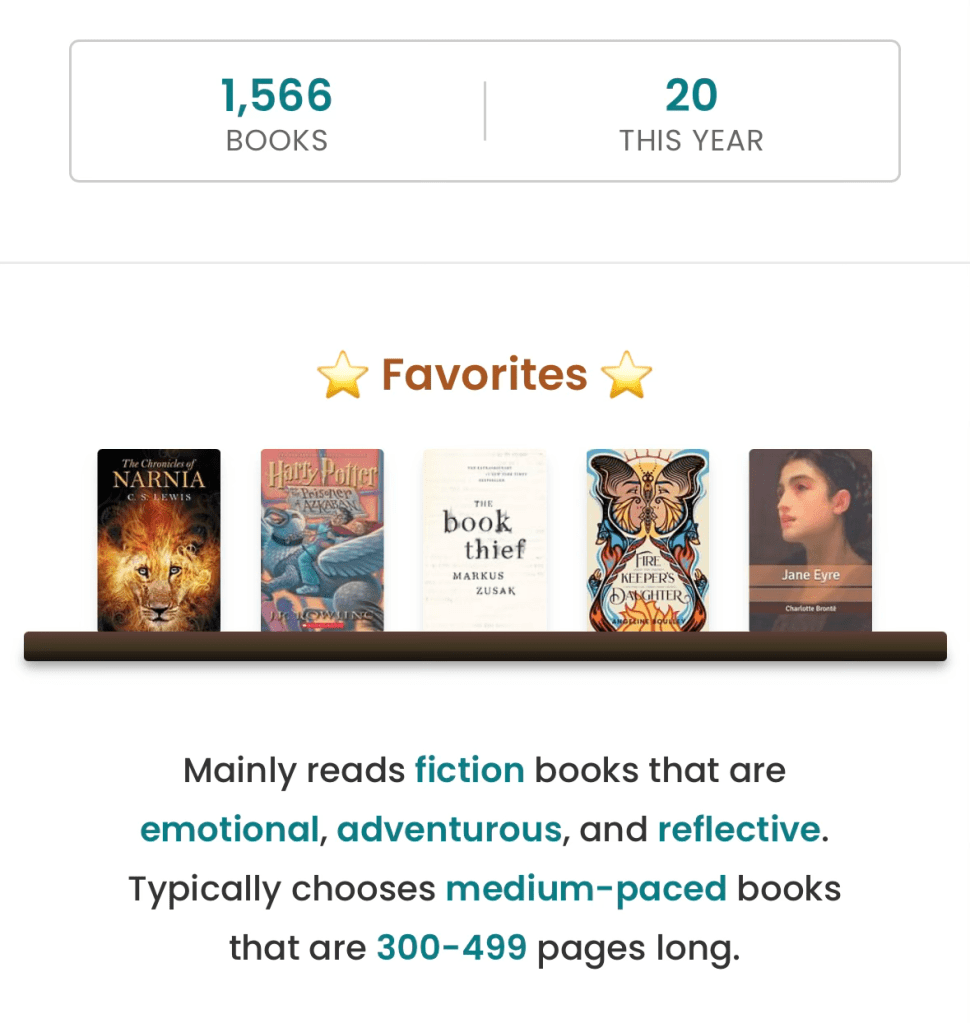
On your profile, you can select up to five favorite books to display on a shelf. To be honest, I need a favorites bookcase, not a wimpy lil shelf, but this is a good start. Your profile also has an analysis of your reader type, similar to Fable’s BookAura, but less whimsical and more concrete.
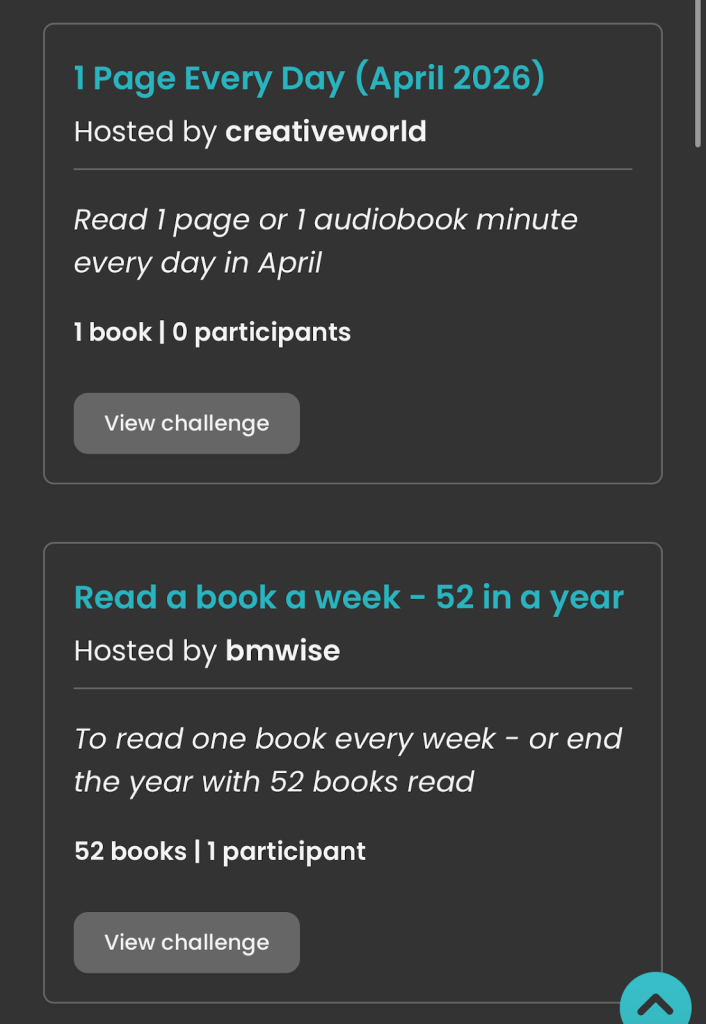
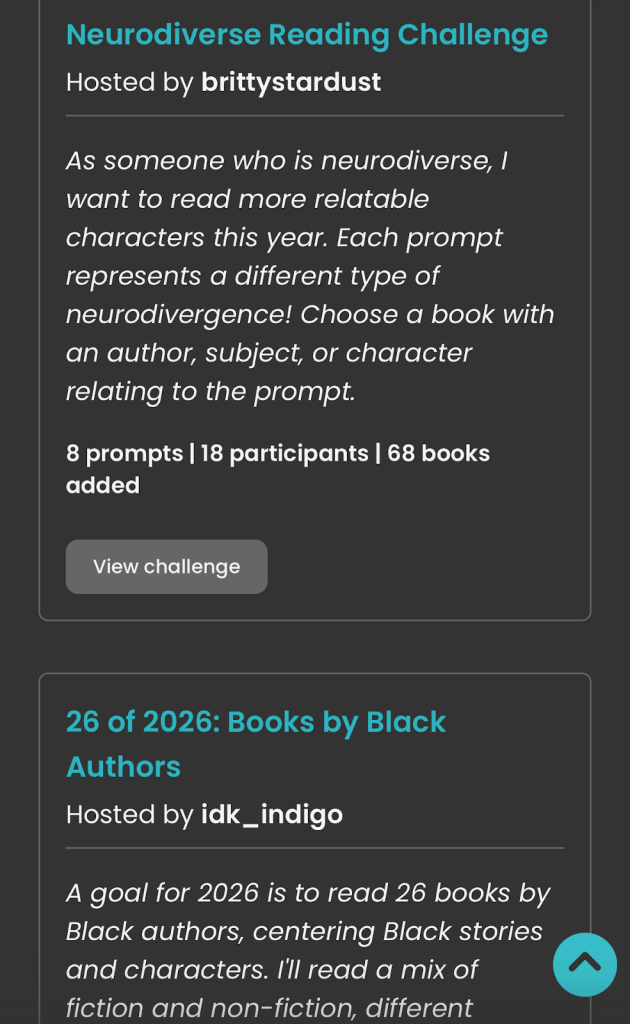
Not only can you set an annual reading challenge by number of books, pages, and/or hours, you can also explore The StoryGraph’s extensive Challenge Directory. The categories in this directory include: Genres, Tackle Your TBR, Read OwnVoices, Geographical, Pop Culture, and Literary Awards. Each category has a wide variety of different challenges you can participate in. The StoryGraph is BIPOC- and women-owned, which means the minds behind the app know firsthand the importance of spotlighting diverse voices, and that really shines through in these challenges. I was impressed by both the range of challenges and the diverse range of perspectives and experiences platformed in these challenges.
A final piece that really seals the deal: Importing my Goodreads data went smoothly. StoryGraph gives you clear guidance on how to do it, and the import took about an hour. You can edit the CSV file from Goodreads before you upload for increased accuracy, but for me that’s about 2000 books to check/edit and I didn’t have it in me.
The StoryGraph app has a paid subscription for those who want to support the app, unlock even more stats, and access prioritized customer support. I think that’s a fair balance. The free version is incredibly thorough, enough to inspire a desire to support the app financially AND enough that it doesn’t feel necessary to upgrade to a paid plan.
Beige Flags
I can’t figure out if the book recommendation generator is based on AI or algorithms. I obviously feel iffy about it if it’s any kind of AI, and concerned if it’s using generative AI. (I briefly ranted about why this is problematic particularly in the book world on my Fable post.)
I wish I could disable reading streaks and tracking pages per day entirely, or hide them from every possible view. My monthly wrap-up included pages per day, which I’ve never bothered to track in any form or on any app, so I’m not sure how it decided to map that out.
The StoryGraph’s aesthetic is almost too clinical for my tastes. That said, I finally tried switching it to dark mode a few days ago and that made it feel a bit cozier.
Is StoryGraph the One?
StoryGraph is a phenomenal reading tracker app. It really has just about everything. For the typical Goodreads user looking for an upgrade, this would be my recommendation. It maintains all of the best elements of Goodreads, but improves them and adds more.
And yet, for now, I’m going to delete the app. I’m not deleting my account if (probably when) I change my mind later. Maybe once the shine of the other two apps wears off and I remember this one has it all. Or it might just be that in this busy season, I feel overwhelmed by all The StoryGraph offers, and maybe I’ll gravitate back towards it later. It might be that I didn’t try switching it to dark mode soon enough and accidentally sabotaged the experience that way.
I think The StoryGraph is the perfect reading tracker for former Goodreads fans, data enthusiasts, and readers who want to expand their literary horizons.
I’m still waffling between my final two reading trackers, Margins and Pagebound…to the point that I might keep using both. Tomorrow, we’ll explore Pagebound.
Disclaimer: I was not compensated by anyone for my opinions, nor am I affiliated with any of these reading trackers except as another reader/user. Information in this post is true to the best of my knowledge at the time of posting. If I have incorrect information, whether due to human error or an app update, please feel free to correct me in the comments!

 paige in the library